Running multiple Roblox instances at once can open up a range of possibilities for players, developers, and testers who want to enhance their experience. Whether it is for managing multiple accounts, testing multiplayer game mechanics, or exploring new strategies, launching more than one Roblox window simultaneously requires the right setup and tools. While Roblox does not officially make this process obvious, several safe and practical methods can help users accomplish it efficiently.
TLDR: Running multiple Roblox instances allows users to operate more than one account at the same time for testing, trading, or multitasking. This can be done through methods such as using multiple user accounts on Windows, different browsers, virtualization software, or specialized multi-instance tools. Each approach has its pros and cons in terms of performance, ease of use, and system requirements. Choosing the right method depends on the user’s goals and hardware capabilities.
Why Run Multiple Roblox Instances?
There are several legitimate reasons someone might want to run multiple Roblox instances:
- Game Development Testing: Developers can simulate multiplayer sessions without recruiting outside players.
- Account Management: Some players maintain separate accounts for trading, experimenting, or security.
- Farming and Grinding: In some game modes, users may coordinate between accounts to speed up resource collection.
- Streaming or Content Creation: Creators might demonstrate interactions between different accounts in tutorials.
Before proceeding, users should always ensure that their actions comply with Roblox’s Terms of Service. Misuse, automation, or exploiting could lead to penalties.
Method 1: Using Different Browsers
One of the simplest methods to run multiple Roblox instances is by launching the platform through separate web browsers. For example, one account can log in using Chrome while another logs in through Firefox or Edge.
How it works:
- Install two or more supported browsers.
- Log into a different Roblox account in each browser.
- Join a game from each browser instance.
Since each browser maintains its own session cookies, Roblox treats them as independent logins. This method may not always allow simultaneous game launches depending on system settings, but it works reliably for light multitasking.
Image not found in postmetaPros:
- Easy to set up
- No additional software required
- Low technical complexity
Cons:
- May not support simultaneous gameplay on all PCs
- Limited by system memory
Method 2: Multiple Windows User Accounts
Another reliable method involves creating separate user accounts within Windows. Each Windows account can run its own Roblox session independently.
Steps to follow:
- Create a new local user account in Windows settings.
- Install and log into Roblox under each Windows account.
- Use the “Switch User” feature instead of logging out.
This method works effectively because each Windows session operates independently, allowing Roblox to run separately in each account.
Advantages:
- Stable and reliable
- No third-party software required
- Safer for compliance purposes
Disadvantages:
- Switching between sessions can be slower
- Higher CPU and RAM usage
Method 3: Virtual Machines
Virtualization software such as VMware or VirtualBox allows users to create simulated operating systems within their main PC. Each virtual machine (VM) can run a separate instance of Roblox.
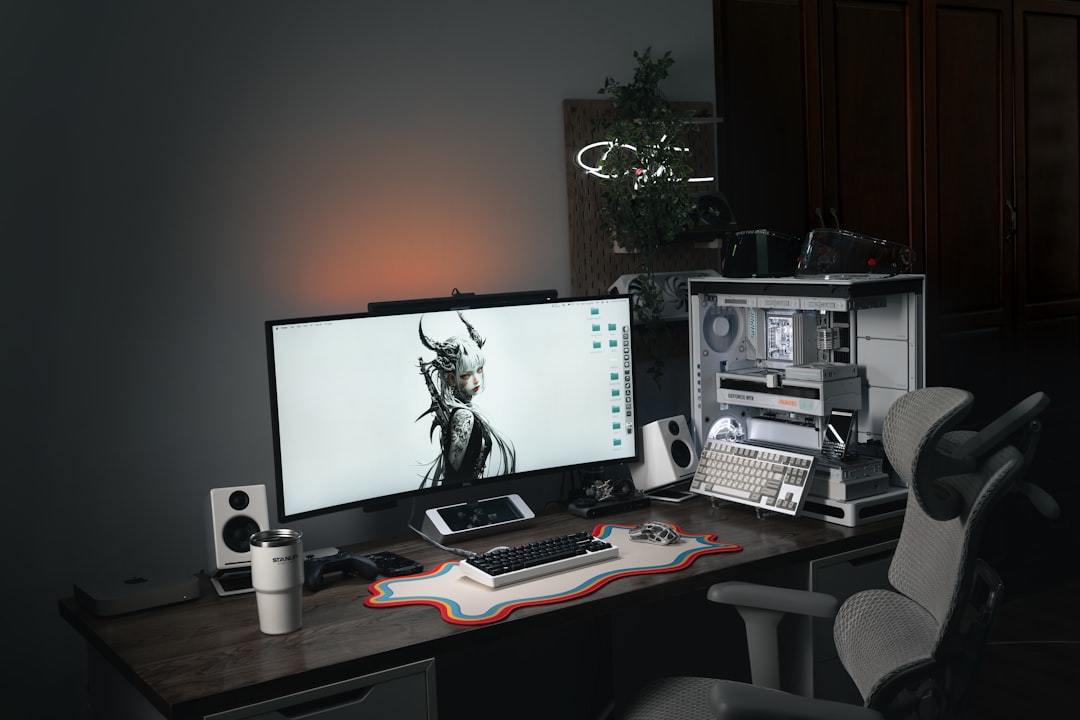
How virtualization helps: The VM acts like a completely separate computer, with its own operating system, memory allocation, and applications.
Setup overview:
- Install virtualization software.
- Create a virtual machine and install Windows.
- Install Roblox inside the VM.
- Run Roblox on both the host and virtual system.
Benefits:
- Full separation between instances
- Strong testing environment for developers
- Customizable performance allocation
Drawbacks:
- Requires powerful hardware
- Consumes significant system resources
- More technical setup required
Method 4: Multi-Instance Tools
There are tools designed specifically to bypass the single-instance restriction of certain applications. These programs allow Roblox to be launched multiple times directly from the same user environment.
When considering such tools, users must carefully evaluate security and compatibility. Downloading software from unverified sources can introduce security risks. Additionally, platform updates may break tool functionality.
Image not found in postmetaPopular Multi-Instance Tools Comparison
| Tool Type | Ease of Setup | Performance Impact | Best For |
|---|---|---|---|
| Browser Method | Very Easy | Low to Moderate | Casual multi-account use |
| Windows User Accounts | Moderate | Moderate | Reliable simultaneous sessions |
| Virtual Machine | Advanced | High | Developers and testers |
| Instance Manager Tools | Easy to Moderate | Low to Moderate | Quick access multi-client use |
Hardware Requirements
Running multiple instances demands greater resources than a single session. Important components include:
- RAM: At least 16GB is recommended for smooth dual instances.
- CPU: Multi-core processors handle parallel sessions better.
- GPU: Dedicated graphics cards improve in-game stability.
- Storage: SSDs reduce load times across instances.
If performance drops occur, lowering in-game graphics settings can significantly reduce strain.
Optimizing Performance
To ensure stable gameplay while running multiple instances:
- Reduce graphics settings in each Roblox window.
- Close background applications.
- Allocate sufficient RAM for virtual machines.
- Use wired internet connections for better stability.
Tip: Running one instance at high graphics and another at minimal settings can balance visual quality and performance.
Potential Risks and Considerations
Although multi-instance setups can be useful, users should keep these factors in mind:
- Account Security: Never share login details across untrusted tools.
- System Overheating: Extended sessions increase hardware temperatures.
- Platform Compliance: Avoid automation scripts or exploitative behavior.
Maintaining updated software and antivirus protection is essential when installing additional tools.
Best Method for Different Users
The best approach depends on the objective:
- Casual players: Use multiple browsers.
- Serious testers: Windows user accounts provide stability.
- Professional developers: Virtual machines offer the most flexibility.
- Power users: Dedicated multi-instance tools may provide convenience.
Testing each method carefully before committing to a workflow ensures the best results.
Frequently Asked Questions (FAQ)
1. Is running multiple Roblox instances allowed?
Running multiple accounts is not inherently prohibited, but exploiting or automating gameplay may violate Roblox’s Terms of Service. Always follow official guidelines.
2. How much RAM is needed to run two Roblox instances?
While 8GB may work for light usage, 16GB or more is ideal for smoother performance.
3. Can multiple instances run on a low-end PC?
It is possible using browser-based methods and low graphics settings, but performance may be limited.
4. Do virtual machines reduce game performance?
Yes, virtual machines share hardware resources with the host system, which can impact performance.
5. Is it safer to use Windows user accounts instead of third-party tools?
Generally, yes. Built-in system features reduce the risk associated with downloading unknown software.
6. Can this method work on macOS?
Mac users can use similar strategies such as multiple user profiles or virtualization software, but compatibility may vary.
7. Why does Roblox sometimes prevent a second launch?
Roblox includes mechanisms to prevent duplicate sessions under the same environment. Using separate environments solves this limitation.
By carefully selecting the right approach and optimizing system performance, users can successfully run multiple Roblox instances at once. Whether for development, account management, or experimentation, the correct setup transforms a single-device limitation into a powerful multitasking tool.
