Email automation is the cornerstone of modern digital marketing, ensuring that your messaging reaches audiences at precisely the right moment. But what happens when your campaign runs into a mysterious delay? Scheduled emails start sending hours later than intended, potentially missing key customer engagement windows or promotional deadlines. This is often the result of an issue known as email automation throttling. Diagnosing it correctly is vital to maintaining campaign effectiveness and customer satisfaction.
TLDR:
If your email campaigns are sending much later than scheduled, it’s likely due to throttling. This happens when either your ESP (Email Service Provider) intentionally slows delivery or your infrastructure hits limitations. Causes can include account sending limits, infrastructure bottlenecks, or recipient domain policies. To fix the delay, analyze campaign logs, sending speeds, and infrastructure capacity to pinpoint where the bottleneck lies.
What is Email Automation Throttling?
Email throttling refers to the intentional or unintentional delay in email sending rates to manage infrastructure load, meet ISP compliance requirements, or avoid triggering spam filters. Throttling can be implemented by:
- Email Service Providers (ESPs) – They may throttle large campaigns to control delivery rates.
- Internet Service Providers (ISPs) – To avoid being overwhelmed, some recipient servers delay large influxes of email.
- Your Own Infrastructure – If you host your own MTA (Mail Transfer Agent) or use APIs with rate-limiting.
If your campaigns are being delayed, you need to investigate which part of the email lifecycle is throttling or overwhelmed.
Common Symptoms of Throttling:
Before diving into diagnosis, it helps to know you’re looking at a throttling issue. Here are key signs:
- Emails start sending on time but take hours to fully deliver.
- Reporting delays in campaign dashboards (e.g., no engagement data for hours).
- You notice partial email delivery — only a fraction of contacts are reached initially.
- Error logs referencing rate limits, “try again later,” or server busy messages.
Step-by-Step Diagnostic Approach
1. Audit Your Campaign Scheduling and Size
Begin by evaluating the campaign setup:
- Was the send time set according to the recipient’s time zone vs. global time zone?
- Was the email list exceptionally large compared to usual campaigns?
- Was batching (sending in smaller chunks) intentionally or unintentionally enabled?
Check whether the delay corresponds to a larger-than-usual recipient volume, which often causes ESPs to throttle automatically.
2. Review Your ESP’s Sending Policy
Every ESP has delivery governance, which may not be visible to the end user. You need to:
- Check your plan’s send rate limits — Some platforms restrict email velocities based on subscription tier or IP reputation.
- Investigate shared vs. dedicated IPs — Shared IPs often throttle to protect network reputation.
- Look for warning emails or dashboard alerts — ESPs may notify you about throttling behavior as precaution.
If you’re using an API to send emails (like with SendGrid, Mailgun, or Amazon SES), check if you exceeded rate limits. Throttling due to rate-limiting usually returns 429 HTTP error codes or similar in logs.
3. Dig into Mail Server Logs or Analytics
Inspect your campaign’s send and bounce logs if accessible. You’re looking for any errors that mention:
- “Rate limit exceeded”
- “Deferred delivery”
- “Connection timed out”
- “Too many connections from this IP”
Logs will indicate when each batch of emails was attempted and whether delivery was successful, postponed, or dropped. Time-stamped logs give you a map of where and when the delays occurred.
4. Evaluate Domain-level Throttling
Sometimes, it’s not you — it’s them. Many recipient domains implement automatic throttling when a high volume of email is detected. For example, Gmail and Yahoo might delay or prevent email delivery if:
- You send too many messages in a short period from a previously quiet IP
- Your emails aren’t authenticated using SPF, DKIM, and DMARC
- Your recent emails had high bounce or spam complaint rates
Look into your deliverability reports by email domain to see if specific ISPs are rate-limiting you more than others. You may need to space out sends to these high-sensitivity domains.
5. Monitor Infrastructure Performance
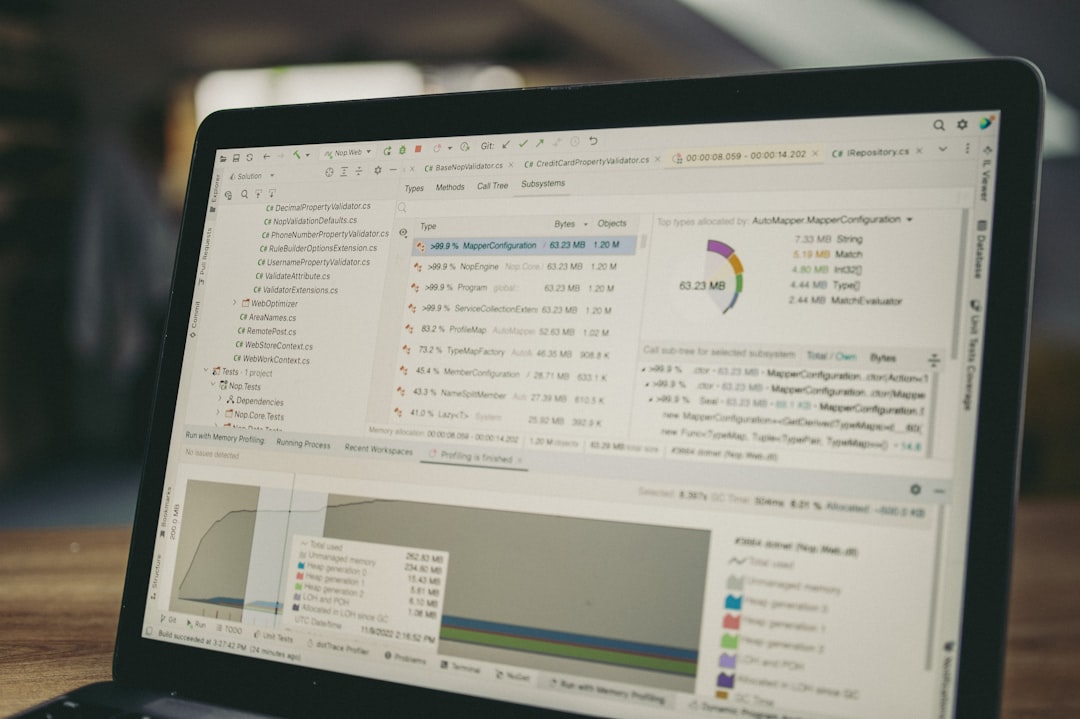
If you’re managing your own sending setup or using third-party integrations, you’ll want to analyze:
- Queue lengths – Backlogged queues are a sign your server or integration is overwhelmed.
- CPU/Memory usage – Especially important if you’re self-hosting an MTA like Postfix or Exim.
- API response times – If your ESP’s API is slow to respond, it could delay execution of send jobs.
Reach out to DevOps or system administrators if your infrastructure needs scaling. A sudden traffic spike without autoscaling can cascade into hours-long delays.
Best Practices to Avoid Throttling
1. Warm Up IP Addresses
Especially for new or dormant IPs, start sending in small volumes and scale up gradually. Most throttling is a response to sudden activity.
2. Adopt Sending Windows & Batching
Break large sends into manageable batches. Many platforms offer “sending windows” or “drip send” features that can be configured to space emails strategically while avoiding ESP-imposed throttling.
3. Use Engagement Segmentation
Send more aggressively to highly engaged users and trickle out emails to colder leads. This lowers bounce/spam rates, reducing the likelihood of triggering throttling algorithms.
4. Monitor Frequently
Use monitoring tools to get immediate notifications if queue sizes grow or ESP rate limits are hit. The faster you catch throttling behavior, the quicker you can adjust campaign pace or audience segmentation.
When to Escalate to Your ESP
If you’ve followed all diagnostics and still experience prolonged send delays, contact your ESP support team. Provide them with:
- Exact campaign send times and observed delays
- Sample recipient email addresses that experienced the delay
- Log excerpts showing rate limits or bounce codes
Most reputed ESPs like Mailchimp, ActiveCampaign, or Klaviyo will assist in analyzing backend throttling behavior, especially if you have a premium plan or dedicated CSM (Customer Success Manager).
Conclusion
When email campaigns send hours later than scheduled, the culprit is often throttling — whether by your ESP, an ISP, or infrastructure bottlenecks. By following a structured diagnostic path — starting from campaign setup and ending with detailed logs and infrastructure checks — you can determine where the hold-up occurs and take corrective action. Intelligent batching, warm-up strategies, and performance monitoring all contribute to smoother, delay-free email delivery in the long run.
