If you’re swimming in extra hard drives or have a brand new SSD begging to be useful, then you’re in the right place. We’re talking about external SSD/HDD enclosures. These are little magic boxes that turn your internal drives into portable superstars. Whether you’re a tech genius or just like your files fast and portable, this guide is for you.
TL;DR: External SSD and HDD enclosures let you turn internal drives into portable storage devices. Choose the right size—2.5″, 3.5″ or M.2—for your needs. Go for USB 3.2 or Type-C for speed. Our picks offer value, speed, and style.
What is an Enclosure, Anyway?
An external drive enclosure is basically a box. Into this box, you slot your SSD or HDD. Plug it into your computer via USB, and boom—external storage!
It’s great for:
- Backing up files
- Reusing old drives
- Expanding your storage
- Building a mini digital library
Things to Look for
Before we dive into the best picks, here’s what to keep in mind:
- Drive Size: 2.5″ and M.2 are for laptops and SSDs. 3.5″ is for desktop HDDs and needs external power.
- Transfer Speed: USB 3.2 and USB-C are fast. USB 2.0? Not so much.
- Build Quality: Metal is cool and sturdy. Plastic is okay, but can heat up.
- Tool-Free Design: Snap open and go. No screws, no mess.
- Heat Management: SSDs can get toasty. Look for good ventilation or heat sinks.
Top External Enclosures in 2024
Here are the best picks for your storage adventures.
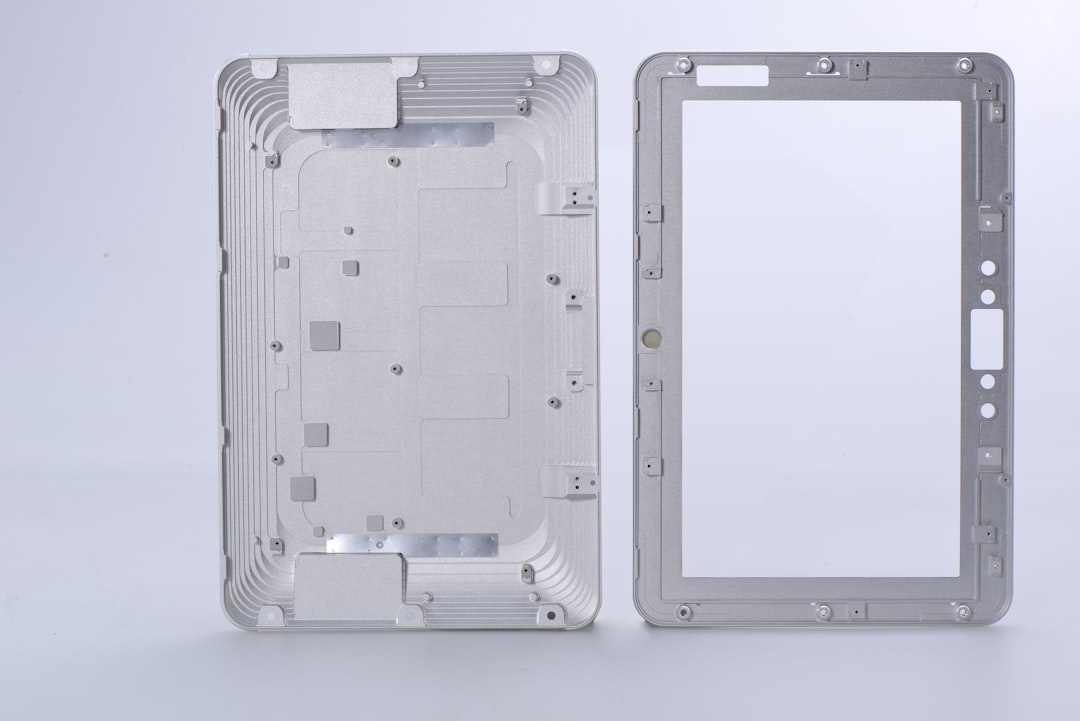
1. ORICO 2.5″ USB 3.0 External Hard Drive Enclosure
If you’re looking for something super simple and affordable, ORICO has you covered. It supports 2.5″ SATA drives and uses USB 3.0 for decent speeds up to 5Gbps.
Why it rocks:
- Tool-free design
- Clear casing lets you peek inside
- Affordable and beginner-friendly
Perfect for backups, school files, or giving your old laptop drive a second chance.
2. UGREEN M.2 NVMe SSD Enclosure USB 3.2 Gen 2
Want blazing speeds? This one’s for M.2 NVMe drives and it’s crazy fast—up to 10Gbps. Great for gamers and video editors.
Key features:
- Aluminum alloy case = great heat dissipation
- Compact and sleek design
- Works with Windows, Mac, Linux
This is like turning your SSD into a mini rocket. Not even kidding.
3. Sabrent 3.5″ SATA to USB 3.0 Tool-Free Enclosure
Have a big ol’ 3.5″ desktop HDD lying around? This bad boy is perfect. It’s sturdy, fast, and doesn’t make you reach for a screwdriver.
Benefits:
- Plug and play—no driver needed
- Includes power adapter (needed for 3.5″ drives)
- Solid build and safe for long-time use
Great for building your own home backup system.
4. ICY BOX NVMe Enclosure with RGB Lights
Performance + style. If your SSD needs some RGB love, this one’s for you. It’s fast, flashy, and built from aluminum for durability.
Why you’ll love it:
- USB-C interface for modern devices
- Built-in heat sink and RGB lighting
- Tool-free and comes with thermal pads
This is for the geek who wants speed and sparkle.
Honorable Mentions
- Inateck 2.5″ SATA Enclosure: Slim, solid, and supports UASP for faster data speeds.
- StarTech.com Dual 3.5″ HDD Enclosure: For serious data hoarders. Holds two drives at once!
- OWC Envoy Express TB3: Thunderbolt 3 power for professional workflows.
Extra Accessories You Might Want
To get the best experience, consider:
- USB-C cables – Faster and more future-proof
- Thermal pads – Keep things cool in M.2 enclosures
- Storage pouches – Protect your setup when you’re on the go
Common Questions
Q: Will any enclosure fit my drive?
A: Nope! Make sure your drive’s form factor (2.5″, 3.5″, M.2) and connector (SATA or NVMe) match the enclosure specs.
Q: Why is my enclosure getting hot?
A: SSDs can heat up under heavy use. Use thermal pads or get an aluminum case for better cooling.
Q: Are these enclosures safe?
A: Yes, as long as you unplug them properly and avoid using low-quality cables or adapters.
Who Needs an Enclosure?
- Gamers: Move those monster games around with M.2 speeds.
- Photographers: Store thousands of raw images without lugging a PC.
- Students: Backup term papers and projects.
- Techies: Build your own system recovery kit.
Final Thoughts
An external enclosure is the easiest way to give your old drive a new mission—or your new SSD a way to shine. They’re not all that complicated, and with the right one, you’ll save space, time, and maybe even look cool doing it.
Whether you like things fast, flashy, or simple, there’s an enclosure for you. Pick one, pop in your drive, plug in—and power up!
