Snapchat is known for its disappearing messages, quick interactions, and privacy-focused features. But when it comes to public Stories, many users wonder just how much control they really have—especially over screenshots. If you’ve ever posted a public Story and then worried about who may have saved it, you’re not alone. Understanding how Snapchat handles screenshot notifications can help you post with confidence and manage your privacy more effectively.
TLDR: Yes, Snapchat does notify you if someone screenshots your public Story—but only if you check the viewer list before the Story expires. Notifications are visible inside the Story viewer list, not as a push notification. Once the Story disappears after 24 hours, you can no longer see who screenshotted it. Public Stories follow the same basic screenshot rules as private Stories.
How Snapchat Screenshot Notifications Work
Snapchat was built around transparency. Since the app’s early days, users have typically been notified when someone takes a screenshot of a Snap or a chat message. The goal is simple: reduce secret saving and encourage authentic sharing.
When it comes to Stories, including public Stories, Snapchat follows a similar policy:
- If someone screenshots your Story, Snapchat records it.
- You can see who took the screenshot in the Story viewer list.
- You will not receive a separate push notification.
This is an important distinction. Many users expect a pop-up notification, but Snapchat keeps screenshot alerts inside the Story analytics screen instead.
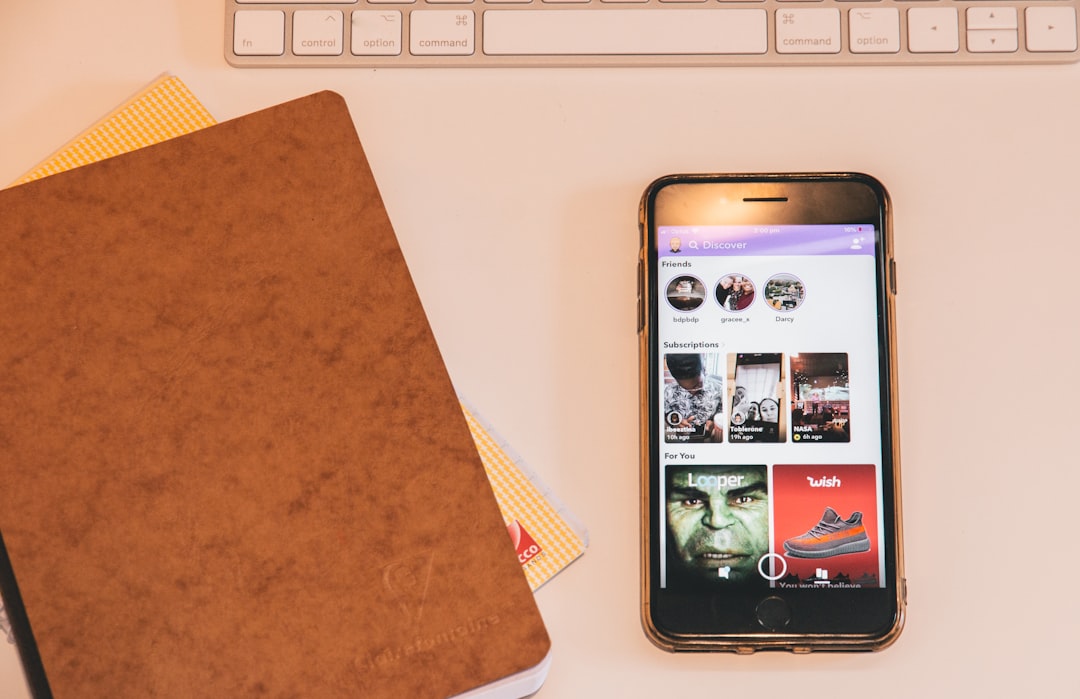
Can You See Who Screenshotted Your Public Snapchat Story?
The official answer is yes—you can see who screenshotted your public Snapchat Story. However, there are important conditions to understand.
Here’s What Happens:
- You post a public Story.
- Someone takes a screenshot of that Story.
- You open your Story and swipe up to view the viewer list.
- A small screenshot icon appears next to the username of the person who captured it.
If you see the screenshot icon next to their name, you know they saved your content.
But here’s the catch: you must check before the Story expires. Once the 24-hour window closes and the Story disappears, you can no longer access the viewer list—and that includes screenshot data.
Does This Apply to Public Stories Specifically?
Yes. Public Stories operate under the same screenshot notification system as private Stories shared with friends. The difference between public and private Stories is who can view them, not how screenshot tracking works.
For clarity:
- Private Story: Only selected friends can view it.
- Friends Story: All your friends can view it.
- Public Story: Anyone on Snapchat (depending on privacy settings) can view it.
No matter which type you post, Snapchat will show you who screenshots it—as long as you check in time.
What You Won’t See
Even though Snapchat offers screenshot visibility, there are limitations.
- You won’t get a real-time alert.
- You can’t see screenshots after the Story expires.
- You cannot see screen recordings separately—they often appear as screenshots.
- You won’t know what they did with the screenshot afterward.
This last point is important. Once someone screenshots your public Story, Snapchat has no control over how that image is shared outside the app.
How to Check If Someone Screenshotted Your Public Story
If you want to check properly, follow these steps:
- Open Snapchat.
- Tap your profile picture in the top-left corner.
- Tap your active Story.
- Swipe up on the screen.
- Look for the screenshot icon next to viewers’ names.
The screenshot icon looks like overlapping arrows. If no icon appears, no one (that Snapchat detected) has screenshotted the Story.
What About Third-Party Apps?
Some users worry about third-party apps that claim to bypass screenshot detection. While there have historically been workarounds—like using another phone to photograph the screen—Snapchat actively works to prevent unauthorized saving methods.
Important note:
- Using third-party apps violates Snapchat’s terms of service.
- Accounts caught using them may be temporarily or permanently banned.
- Most so-called “invisible screenshot” apps are scams.
Snapchat prioritizes user privacy, and its detection systems have become more sophisticated over time.
Public Profile vs Public Story: Is There a Difference?
If you have a Public Profile, your content may appear more widely on Snapchat’s Discover page or Spotlight section. However, screenshot notifications for Stories still function the same way.
Here’s a quick comparison to clarify:
| Feature | Private Story | Friends Story | Public Story |
|---|---|---|---|
| Who can view | Selected friends | All friends | Everyone or subscribers |
| Screenshot detection | Yes | Yes | Yes |
| Push notification | No | No | No |
| Viewable after 24 hours | No | No | No |
As you can see, public Stories don’t weaken screenshot protection—they simply expand the audience.
What About Snapchat Spotlight?
Spotlight content works differently. Spotlight posts are designed for viral distribution, and since they function more like TikTok videos, screenshot notifications do not work the same way as with Stories.
If you are concerned about screenshots specifically, remember:
- Stories notify you.
- Direct Snaps notify you.
- Chat screenshots notify you.
- Spotlight content does not provide individual screenshot alerts.
This distinction is often overlooked and can lead to confusion.
Can Someone Screenshot Without You Knowing?
Technically, yes—but not within Snapchat itself.
If someone:
- Uses another phone to photograph your screen
- Uses a camera device externally
- Records the screen from another device
Snapchat cannot detect this activity.
This is true for all social media platforms. No app can control physical external recording methods. That’s why it’s important to think carefully before posting highly sensitive content—even to a public Story with screenshot alerts.
Privacy Tips When Posting Public Stories
If screenshot concerns make you hesitant, here are some smart strategies:
- Adjust visibility settings: Limit who can view your public Story.
- Use custom privacy controls: Exclude specific users if necessary.
- Avoid sharing sensitive information: Addresses, travel details, or private documents.
- Monitor viewer lists early: Check screenshot icons before expiration.
- Switch to Friends-only Stories: If you want tighter control.
Being proactive reduces anxiety and gives you more control over your content.
Why Snapchat Tells You About Screenshots
Unlike some other social platforms, Snapchat has always leaned into privacy transparency. By clearly identifying when someone captures your content, Snapchat:
- Encourages respectful viewing behavior
- Discourages secret saving
- Builds user trust
- Maintains its disappearing-content identity
This approach has helped Snapchat maintain a unique position in social media. While Instagram and Facebook operate around shareability and permanence, Snapchat focuses more on temporary and controlled sharing.
Common Myths Debunked
Myth 1: You can’t see screenshots of public Stories.
False. You can see them inside the viewer list.
Myth 2: You get a push notification.
False. Screenshot alerts appear only when you manually check the viewer list.
Myth 3: Public Stories remove privacy tracking.
False. The tracking system remains consistent across Story types.
Myth 4: Screenshot detection works forever.
False. Once your Story expires, the data disappears.
The Bottom Line
So, can you see who screenshotted your public Snapchat Story? Yes—officially and reliably—if you check while the Story is still live.
Snapchat records screenshots and shows them in your viewer list, even for public Stories. However, you won’t receive a separate alert, and you lose access to that information once the 24-hour window closes.
Public Stories expand your audience—but they don’t eliminate screenshot notifications. That balance between openness and transparency is exactly how Snapchat is designed to function.
If privacy matters deeply to you, regularly reviewing viewer activity and understanding how screenshot detection works will help you stay in control of your content. After all, in a world where nearly everything online can be saved, knowing who saved your Snap is still valuable information.
