CapCut has become one of the most popular video editing apps thanks to its user-friendly interface, built-in AI effects, and seamless social media export. However, it is not the only option available. Whether you are a content creator, small business owner, educator, or marketer, there are several powerful alternatives that offer advanced artificial intelligence tools, professional templates, and effortless exporting options. Choosing the right platform can significantly improve workflow efficiency and overall production quality.
TLDR: If you are looking for CapCut alternatives with AI-powered effects, ready-made templates, and easy export features, five strong options stand out: Adobe Premiere Rush, InVideo, Canva Video, Filmora, and VN Editor. Each platform offers unique strengths, from professional-grade AI tools to beginner-friendly interfaces. Your ideal choice depends on your experience level, budget, and the type of content you create. This guide compares features, usability, and export capabilities to help you choose confidently.
Why Look for a CapCut Alternative?
While CapCut is free and beginner-friendly, some users experience limitations in advanced editing, watermark policies in certain regions, performance issues with large files, or restricted professional export settings. Additionally, creators managing brand consistency or long-form content may require more robust editing timelines and deeper AI capabilities.
What most users want in a modern editing platform includes:
- AI-powered effects such as background removal, auto captions, and smart scene detection
- Ready-made templates for reels, ads, YouTube videos, and business presentations
- Fast and customizable export settings for multiple platforms
- Cloud synchronization for cross-device editing
- Intuitive user interface for efficient workflow
The five alternatives below meet these expectations to varying degrees, making them worthy replacements for CapCut.
1. Adobe Premiere Rush
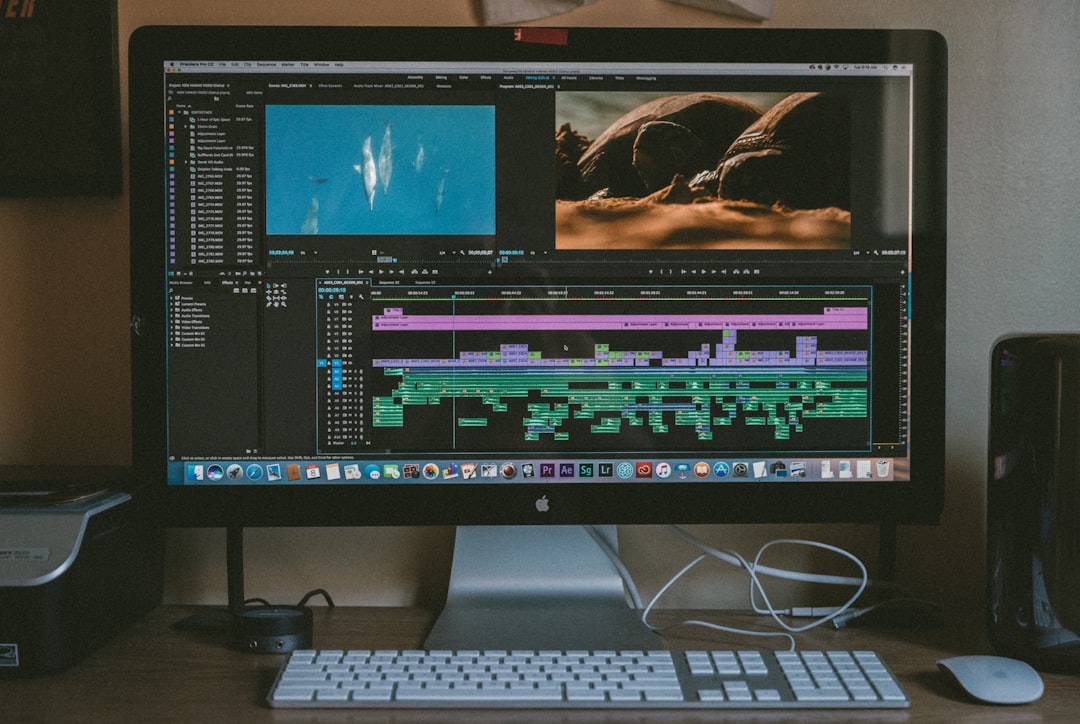
Adobe Premiere Rush is designed for creators who want professional quality without the complexity of full-scale editing software like Premiere Pro. It blends ease of use with serious editing power.
Key Features:
- AI-powered auto reframing for different aspect ratios
- Built-in customizable motion graphics templates
- Cross-device syncing via Adobe Creative Cloud
- Direct export to YouTube, TikTok, and other platforms
Why It Is a Strong Alternative:
Premiere Rush balances simplicity with professional-grade output. The auto-reframe feature is particularly useful for creators producing both vertical and horizontal content. Color grading tools also surpass what CapCut generally offers.
Best For: Intermediate creators, YouTubers, and marketers looking for greater control.
2. InVideo
InVideo is a browser-based video editor with heavy emphasis on AI-driven automation and thousands of templates. It is especially powerful for business content and promotional videos.
Key Features:
- AI script-to-video generation
- 5000+ customizable templates
- Automated text-to-speech voiceovers
- One-click exports optimized for social platforms
Why It Is a Strong Alternative:
InVideo shines in template variety. Users who want to rapidly produce ads, explainer videos, or social content with minimal manual editing will benefit from its AI assistance. Unlike CapCut, it focuses heavily on structured storytelling for commercial applications.
Best For: Entrepreneurs, digital marketers, and agencies producing high-volume content.
3. Canva Video
Canva has evolved far beyond simple graphic design. Its video editing suite now includes AI-powered tools that simplify production while maintaining brand consistency.

Key Features:
- Magic Design AI for automatic layouts
- Drag-and-drop interface
- Brand kits for colors, fonts, and logos
- Quick export to social platforms
Why It Is a Strong Alternative:
Canva is exceptionally user-friendly and excellent for collaborative projects. The brand kit integration makes it ideal for companies focused on visual identity. While it may not have the deep timeline control of more advanced editors, it exceeds CapCut in collaborative and branding workflows.
Best For: Beginners, teams, and social media managers.
4. Wondershare Filmora
Filmora has become one of the most recognized AI-enhanced video editing tools outside the Adobe ecosystem. It offers a polished interface combined with professional-level effects.
Key Features:
- AI smart cutout and background removal
- AI audio denoise
- Motion tracking
- Built-in stock media library
Why It Is a Strong Alternative:
Filmora bridges the gap between beginner simplicity and advanced creative control. It provides powerful AI visual enhancements while maintaining an approachable interface. Compared to CapCut, it offers more refined cinematic effects and greater customization depth.
Best For: Creators seeking dynamic, visually impressive content with manageable complexity.
5. VN Video Editor
VN Editor is a lightweight yet powerful app that closely mirrors CapCut’s usability but removes some of its limitations. It is especially popular among mobile-first creators.
Key Features:
- No watermark on free exports
- Multi-layer timeline editing
- Custom speed curves
- Easy social media export options
Why It Is a Strong Alternative:
VN offers granular speed control and flexible editing layers that appeal to creative storytellers. It remains intuitive while giving users slightly more manual control compared to CapCut.
Best For: Mobile creators and short-form content specialists.
Comparison Chart
| Tool | AI Features | Templates | Ease of Export | Best For |
|---|---|---|---|---|
| Adobe Premiere Rush | Auto reframe, color optimization | Moderate library | Direct social publishing | Intermediate creators |
| InVideo | Script to video, AI voiceover | Extensive 5000+ | Platform optimized presets | Marketing teams |
| Canva Video | AI layout generation | Large design focused library | One click downloads | Beginners and teams |
| Filmora | AI cutout, audio denoise | Strong cinematic effects | Custom export settings | Advanced creators |
| VN Editor | Speed curve tools | Basic but flexible | No watermark export | Mobile users |
Key Considerations Before Choosing
When selecting a CapCut alternative, evaluate the following:
- Project complexity: Do you need timeline precision or rapid template-based editing?
- Platform compatibility: Desktop only, mobile only, or cross-device?
- AI depth: Basic automation or advanced visual enhancements?
- Budget: Free version limits versus paid plans.
It is important to match the tool to your content goals rather than simply chasing advanced features. Overly complex software can slow productivity if your needs are straightforward.
Final Thoughts
The landscape of AI-driven video editing continues to evolve rapidly. While CapCut remains a strong entry-level solution, alternatives such as Adobe Premiere Rush, InVideo, Canva Video, Filmora, and VN Editor provide compelling advantages in specific use cases.
If you prioritize professional refinement, Premiere Rush or Filmora may be ideal. If speed and templates matter most, InVideo or Canva excel. If mobile flexibility without watermark restrictions is critical, VN Editor delivers strong performance.
Ultimately, a trustworthy and serious approach to video production requires selecting a platform that supports both creative vision and operational efficiency. By evaluating your workflow, platform requirements, and AI expectations, you can confidently transition to a tool that enhances productivity while maintaining high-quality output.
High-quality video is no longer limited to production studios. With the right AI-powered editing solution, professional results are accessible to virtually anyone willing to learn and apply the appropriate tools.
